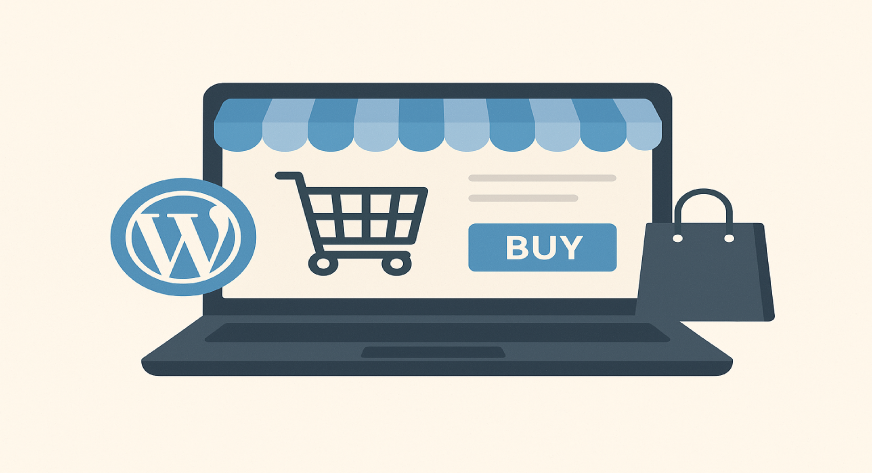
Yes, you can build an online store with WordPress using the WooCommerce plugin. It turns your WordPress website into a fully functional eCommerce store where you can sell products, manage inventory, accept payments, and handle shipping easily.
Thinking about selling products online but unsure where to start? You might wonder, can I build an online store with WordPress. The good news is that WordPress isn’t just for blogs anymore. With the right tools, it can become a powerful platform for selling anything—from physical products to digital downloads and even subscriptions.
Whether you’re a beginner or a small business owner, WordPress gives you the flexibility to create a store that fits your unique needs without breaking the bank. Let’s explore how you can make this happen.
Why WordPress Works for Online Stores?
WordPress is one of the most popular content management systems (CMS) globally, powering millions of websites. Its popularity for online stores comes from a few key strengths:
- Flexibility: You can customize your store exactly the way you want, using themes and plugins.
- Ease of Use: Even beginners can set up a store without coding knowledge.
- Scalability: WordPress can support small shops and large e-commerce websites alike.
For example, WooCommerce, a free WordPress plugin, powers over 5 million online stores worldwide. This shows that WordPress isn’t just capable, it’s proven.
Essential Plugins for Your Online Store
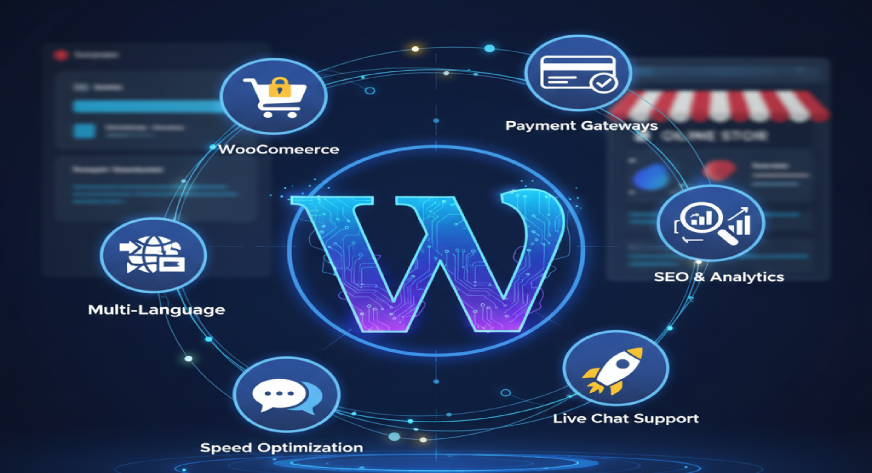
Plugins are the backbone of a WordPress store, turning a basic site into a fully functional e-commerce platform. Here’s what you need to know:
- WooCommerce: This is the most popular plugin for WordPress e-commerce. It manages products, payments, shipping, and taxes. For example, a small jewelry business used WooCommerce to categorize their products, offer discounts, and even handle pre-orders.
- Payment Gateway Plugins: Accepting payments securely is crucial. Plugins like PayPal, Stripe, or Razorpay integrate seamlessly with WooCommerce. A digital art store, for instance, used Stripe to accept global payments and automated currency conversion.
- Inventory Management: Tools like ATUM Inventory Management help track stock levels and prevent overselling. A boutique fashion brand with seasonal collections used ATUM to automatically notify them when stock was low.
- Marketing & SEO Plugins: Plugins like Yoast SEO, Rank Math, or Mailchimp for WooCommerce help attract visitors and retain customers. For example, a fitness equipment store used Mailchimp to send automated emails for abandoned carts, increasing conversions by 20%.
Picking the Right Theme
Your theme affects not just the look of your store but also user experience and conversions. A good theme makes your products shine and keeps your customers engaged.
Key factors to consider:
- Responsive Design: Your store should work perfectly on mobile, tablet, and desktop. Mobile users account for over 50% of e-commerce traffic, so this is critical.
- Performance: Themes should be lightweight to reduce loading times. Fast-loading sites can increase sales by up to 30%.
- Customizability: Themes like Astra, OceanWP, and Storefront allow you to change colors, layouts, and fonts without touching code.
Example: A local artisan shop used Astra to set up a visually appealing storefront in less than a week. They customized the homepage to showcase featured products, added testimonials, and integrated a blog for storytelling.
Setting Up Your Store: Step by Step
Once you have your plugins and theme ready, it’s time to set up your store. Here’s a simple workflow:
- Install WordPress: Choose a hosting provider that supports WordPress and install the platform. Most hosts, like Bluehost or SiteGround, offer one-click installation.
- Install WooCommerce: Follow the WooCommerce setup wizard to configure your store, including currency, location, and tax settings.
- Add Products: Enter product names, descriptions, images, prices, and variations. Example: A local bakery added categories for birthday cakes, anniversary cakes, and cupcakes, making it easy for customers to browse.
- Set Up Payments: Connect payment gateways like PayPal, Stripe, or Razorpay. Test the payment process with a small order to ensure everything works.
- Configure Shipping: Set shipping zones, rates, and methods. For example, a craft store offering both local delivery and national shipping could set separate rates for each.
- Optimize Store Pages: Customize your homepage, product pages, and checkout pages. Use clear call-to-action buttons and minimal distractions.
- Test Your Store: Place test orders, check notifications, and ensure everything from cart to checkout runs smoothly.
Pros and Cons of WordPress E-Commerce
Pros:
- Affordable setup and maintenance
- Highly customizable
- Huge community support
Cons:
- Requires plugins for advanced functionality
- Maintenance and updates are necessary
- Performance depends on hosting
Final Thoughts
Yes, you can absolutely build an online store with WordPress. With plugins like WooCommerce, a flexible theme, and proper setup, even beginners can launch fully functional stores. From managing inventory to accepting payments, WordPress provides all the tools needed to run a successful e-commerce business online.
If you’re planning to build or scale your online store with WordPress, Webworks Co. can make it easier. Their IT Solutions team helps businesses create secure, high-performing eCommerce sites tailored to their goals. From store setup and plugin integration to performance optimization, they focus on building user-friendly websites that grow with your brand.