Blog

wordpress developer

How To Become a WordPress Developer in 2025?

WordPress powers more than 40% of all websites today, and its dominance shows no signs of slowing down in 2025. From e-commerce platforms to blogs and portfolio sites, businesses rely heavily on WordPress because it’s flexible, affordable, and developer-friendly. That means demand for skilled professionals is growing. But how to become a WordPress developer if you’re starting in 2025? The process is simpler than you think when broken down into practical steps.  This article has everything you need to know, from core skills to building a career path. So read on further to confidently enter the world of WordPress development. 1. Start with the Core Skills Before calling yourself a WordPress developer, you need a solid grip on the basics of web development. Start with HTML to structure content, then move to CSS for styling, and finally, JavaScript for adding interactivity. Think of this trio as the building blocks of any website. For example, if you’re creating a restaurant site, HTML helps you display the menu, CSS makes it visually appealing, and JavaScript adds features like clickable tabs for different cuisines. Alongside this, you must learn PHP, which powers most of WordPress’s functions, and MySQL, which handles data like blog posts, user profiles, and product details. Don’t rush, practice by editing simple code snippets or recreating small sections of existing websites. These skills form your foundation, and once you’re confident, WordPress will feel far less intimidating. 2. Get Hands-On With WordPress The fastest way to understand what WordPress developer skills are is by actually using the platform. Download WordPress, set it up locally, and explore the dashboard. Start small: build a basic blog, experiment with changing themes, and play around with settings like menus, widgets, and plugins. For instance, install a contact form plugin and customize it for your project. This exercise will help you understand how plugins extend functionality. Similarly, try tweaking a free theme — change colors, layouts, or typography — to see how customization works. Many new developers also practice by contributing to open-source projects or taking part in WordPress forums. This not only builds experience but also connects you with the global WordPress community. The key is consistency, treat every project, no matter how small, as a learning opportunity. 3. Specialize in Themes and Plugins Once you’re comfortable with the basics, it’s time to specialize. Themes control how a site looks, while plugins control what a site can do. Mastering both is what truly defines what is WordPress developer expertise. This specialization sets you apart because businesses always look for developers who can create something unique, not just install pre-built solutions. 4. Learn Advanced WordPress Development To become a professional-level WordPress developer, you’ll need to push your skills further. Learn about REST API, which allows WordPress to connect with other platforms and apps. For instance, you could use it to fetch Instagram posts and display them on a travel blog automatically. Another important area is Gutenberg block development. Since WordPress is moving toward block-based editing, creating custom blocks (like a testimonial slider or pricing table) makes you future-ready. Don’t forget performance and security. Study website optimization techniques like caching, image compression, and database management. Similarly, learn security practices such as sanitizing user input and using nonces to prevent hacks. Real-world clients will expect their websites to be fast, safe, and reliable.Finally, explore version control with Git and platforms like GitHub. These are must-haves if you want to collaborate with other developers or work in professional teams. 5. Build a Strong Portfolio Clients and companies want proof that you can deliver. A portfolio is your golden ticket. Example: A student in 2025 can build a portfolio site showcasing two custom themes and one plugin. Even if unpaid, it demonstrates capability and initiative, which is exactly what employers and clients look for. 6. Stay Updated With 2025 Trends The tech world never sits still, and WordPress evolves every year. Staying current helps you remain competitive. 7. Find Work and Grow Your Career By this stage, you’re ready to turn skills into income. The next step is deciding how you want to work. Also Read, Best Website Frameworks in 2025 What Does a WordPress Developer Do? A WordPress developer is someone who builds, customizes, and maintains websites using WordPress. But this role goes far beyond just clicking a few buttons in the dashboard. Here’s what being a WordPress developer really means: Website Setup and Customization A developer sets up WordPress for clients or personal projects and customizes it based on requirements. For example, an online clothing store may need a stylish homepage, product filters, and a smooth checkout process. The developer ensures everything looks and functions perfectly. Theme Development and Tweaks WordPress developers design or modify themes to give a unique look to websites. Some clients may want minimal, clean designs, while others may need vibrant, creative layouts. Developers adjust code, templates, and styling to make a site match the brand’s identity. Plugin Development and Integration Plugins are the backbone of added functionality. A WordPress developer may create custom plugins (say, a booking system for a spa) or integrate existing ones like WooCommerce for eCommerce, Yoast for SEO, or Contact Form 7 for forms. Performance and Security Websites must load fast and stay secure. Developers optimize images, enable caching, and follow coding best practices to speed things up. They also secure websites by keeping themes and plugins updated, using strong authentication, and preventing vulnerabilities like SQL injections. Maintenance and Troubleshooting A big part of the job is ongoing maintenance. If a plugin breaks after an update or a website crashes, the developer steps in to fix issues. They act like the “doctor” of WordPress websites, keeping everything healthy and running smoothly. Client Collaboration Beyond technical work, developers often collaborate with clients, designers, and marketers. For example, they may work with a designer who creates mockups and then turn those designs into a fully functional WordPress theme. Also Read, What Are The Best SEO Plugins For WordPress? Final Thoughts
Read more
build an online store with wordpress

Can I Build an Online Store with WordPress?

Yes, you can build an online store with WordPress using the WooCommerce plugin. It turns your WordPress website into a fully functional eCommerce store where you can sell products, manage inventory, accept payments, and handle shipping easily. Thinking about selling products online but unsure where to start? You might wonder, can I build an online store with WordPress. The good news is that WordPress isn’t just for blogs anymore. With the right tools, it can become a powerful platform for selling anything—from physical products to digital downloads and even subscriptions. Whether you’re a beginner or a small business owner, WordPress gives you the flexibility to create a store that fits your unique needs without breaking the bank. Let’s explore how you can make this happen. Why WordPress Works for Online Stores? WordPress is one of the most popular content management systems (CMS) globally, powering millions of websites. Its popularity for online stores comes from a few key strengths: For example, WooCommerce, a free WordPress plugin, powers over 5 million online stores worldwide. This shows that WordPress isn’t just capable, it’s proven. Essential Plugins for Your Online Store Plugins are the backbone of a WordPress store, turning a basic site into a fully functional e-commerce platform. Here’s what you need to know: Picking the Right Theme Your theme affects not just the look of your store but also user experience and conversions. A good theme makes your products shine and keeps your customers engaged. Key factors to consider: Example: A local artisan shop used Astra to set up a visually appealing storefront in less than a week. They customized the homepage to showcase featured products, added testimonials, and integrated a blog for storytelling. Setting Up Your Store: Step by Step Once you have your plugins and theme ready, it’s time to set up your store. Here’s a simple workflow: Pros and Cons of WordPress E-Commerce Pros: Cons: Final Thoughts Yes, you can absolutely build an online store with WordPress. With plugins like WooCommerce, a flexible theme, and proper setup, even beginners can launch fully functional stores. From managing inventory to accepting payments, WordPress provides all the tools needed to run a successful e-commerce business online. If you’re planning to build or scale your online store with WordPress, Webworks Co. can make it easier. Their IT Solutions team helps businesses create secure, high-performing eCommerce sites tailored to their goals. From store setup and plugin integration to performance optimization, they focus on building user-friendly websites that grow with your brand.

Read more
creative website footer design ideas

7 Creative Website Footer Design Ideas You’ll Love

A footer may sit at the very bottom of a page, but it has the power to leave a lasting impression. From guiding users with clear navigation to boosting conversions with a smart call-to-action, a thoughtful website footer design can make all the difference. Instead of treating it as just an afterthought, brands today are turning footers into creative, functional, and memorable parts of their websites. Here are 7 exciting ideas to inspire your next footer design, with practical examples and tips you can apply—even if you’re experimenting with a website footer design HTML code for your own site. 1. Minimalist Footers with Clean Navigation Sometimes, less really is more. A minimalist footer focuses only on essential links like About, Contact, Careers, or Privacy Policy. By keeping the design simple, you make it easy for users to find what they need without distraction. Example: Apple’s website footer is a masterclass in minimalism. It features clean typography, lots of white space, and straightforward navigation. Despite containing many links, it feels uncluttered and organized. 2. Interactive Footers with Micro-Animations Adding subtle animations can bring your footer to life. Hover effects, clickable icons, or small transitions add a touch of personality without being overwhelming. Example: A creative design agency may animate its social icons so they change colors or “bounce” when hovered over. This small detail makes the footer feel modern and interactive. Also Read , Where To Find Affordable Web Design for Small Business? 3. Storytelling Through Footers A footer is an underrated space to share your brand’s story, values, or personality. Instead of only offering links, you can use this section to connect emotionally with your visitors. Example: Patagonia’s footer highlights its environmental and sustainability commitments. By doing this, they remind customers that buying from them supports a larger cause. 4. Bold Visuals and Backgrounds Who said footers need to be plain? With custom illustrations, colorful gradients, or full-width backgrounds, you can turn your footer into a visually striking feature. Example: A travel company might use a scenic sunset image in the footer, while a bakery could use hand-drawn illustrations of bread and pastries. These details enhance the brand personality while keeping the design functional. 5. Footers with Smart CTAs (Call-to-Actions) A footer can double as the perfect spot for conversion. Whether you want users to subscribe, download, or reach out, placing a single strong CTA here ensures it gets noticed. Example: Mailchimp’s footer includes a bold “Subscribe to our Newsletter” box. It captures attention without distracting from other content, making it easy for visitors to take action. 6. Social Proof and Testimonials in the Footer Users often scroll to the bottom to make decisions. Why not use that moment to build trust? Featuring testimonials, client logos, or awards in your footer helps visitors feel more confident in your brand. Example: Many SaaS companies display “Trusted by 500+ companies” alongside well-known brand logos in their footers. This simple strategy creates credibility instantly.. 7. Fun and Quirky Footers with Personality Footers don’t always have to be serious. Adding a touch of humor or creativity can make your website memorable and leave users smiling. Example: Innocent Drinks is famous for playful footer copy like “You’ve reached the end. It’s all downhill from here.” It matches their brand’s lighthearted tone and creates a human connection. Also Read , IF you are looking for How To Become UI UX Designer in 2025, checkout this article! Real-World Case Studies of Website Footer Design To understand the power of a great website footer design, let’s look at how some leading brands are doing it right. These real-world examples show how the footer can move beyond being “just the end of a page” and become a tool for branding, engagement, and usability. 1. Spotify Spotify’s footer sticks to its sleek, dark theme, aligning with its overall brand style. It neatly organizes links to company details, careers, and support while including bold social media icons that encourage connection beyond the app. By keeping the design minimal yet informative, Spotify proves how a footer can deliver clarity without breaking the brand aesthetic. 2. Medium Medium keeps things clean and text-focused, just like its content-first platform. Its footer includes links to popular topics, company info, and membership options. The typography is consistent, making navigation feel effortless. This design shows how a simple footer can guide readers deeper into content without overwhelming them with choices. 3. Shopify Shopify uses its footer strategically to serve both new and existing users. It features detailed product categories, resources, and community links, along with a strong emphasis on trust-building pages like “Security” and “Legal.” By giving quick access to essential tools, Shopify demonstrates how an effective website footer design HTML code can support a platform’s credibility. 4. Airbnb Airbnb’s footer stands out for being highly user-centric. It provides region-based options, language selectors, and navigation for both hosts and guests. Its footer doesn’t just close the page , it actively enhances usability by adapting to user needs. This makes it an excellent example of design meeting practicality. Final Thoughts A footer may not be the star of your website, but it’s the quiet achiever that ties everything together. Whether it’s through minimalism, bold visuals, social proof, or quirky humor, the right website footer design ensures users leave with a positive impression. Think of it as your final handshake with visitors, warm, helpful, and memorable. If you’re planning a new site or redesigning an existing one, IT Solutions by Webworks Co. can help you create user-friendly websites with thoughtful details—yes, even footers. From design to development, they bring ideas to life in ways that connect with your audience.

Read more
how to become ui ux designer

How To Become UI UX Designer in 2025?

To become a UI/UX Designer in 2025, start by learning design fundamentals such as color theory, typography, and layout. Master key tools like Figma, Adobe XD, and Sketch, and understand user research, wireframing, and prototyping. Build a strong portfolio showcasing real projects, take online certifications or bootcamps, and stay updated with the latest design trends and AI tools. Finally, gain experience through internships or freelance projects to enhance your practical skills and land a full-time role. The demand for UI/UX designers has never been higher, and 2025 is the perfect time to build a career in this field. As businesses rely more on digital products, the role of design has shifted from “making things look good” to “making experiences easy, enjoyable, and valuable.”  If you’ve been wondering how to become UI UX designer, this article will walk you through every step ,from understanding the role to building the skills, tools, and portfolio you need to succeed. Understand the Role of a UI/UX Designer Before starting your journey, it’s important to answer: what does UI UX designer do? Think of it this way: if a mobile banking app looks clean, loads quickly, and helps you send money without confusion — that’s the work of both UI and UX. In short, a UI/UX designer blends creativity with empathy and problem-solving. Build a Strong Foundation To succeed in design, you need to start with the basics. Learn concepts like color theory, typography, spacing, and accessibility. For example, the right color palette can make an e-commerce store look trustworthy, while poor contrast may make it unusable for people with vision difficulties. Practical steps to Begin A strong foundation helps you understand not just how things look, but why they work. Also Read , How to Use Figma for Web Design? Master Design Tools of 2025 Design tools are like a UI/UX designer’s playground. By 2025, these tools aren’t just about drawing shapes; they’ve evolved into powerful ecosystems that make collaboration, prototyping, and even AI-driven suggestions seamless. Create Real Projects and a Portfolio One of the best ways to show your skills is through real projects. Employers and clients want to see how you think, not just polished screens. Ways to build a portfolio Learn Coding Basics While coding isn’t mandatory, knowing HTML, CSS, and a little JavaScript can help you stand out. It improves communication with developers and helps you design interfaces that are easier to implement. For instance, if you design a responsive website, understanding CSS grids allows you to create layouts that developers can build without major changes. This makes you a more practical designer. Also Read , What is CSS in HTML and Its Types? Stay Updated with Design Trends in 2025 Design is never static — what worked in 2020 feels outdated today. By 2025, trends are shaped not just by aesthetics but by technology and user expectations. Key design trends to watch Network and Gain Experience Knowing design theory is one thing; getting real-world opportunities is another. Networking and practical experience are what turn learners into professionals. Ways to grow your presence A real-world case: Many designers in India started with freelance gigs on platforms like Upwork and Fiverr, then leveraged that experience to land roles at global companies. Build a Career Path Once you’ve mastered the basics, learned the tools, and gained some hands-on experience, it’s time to think long-term. UI/UX design isn’t a one-size-fits-all career; it offers multiple paths based on your interests. Case example: A startup like Zomato needed UI/UX designers early on to make food discovery seamless. Over time, their design team grew into specialized roles — from interaction experts to researchers testing new features like Zomato Gold. Final Thoughts If you’ve been asking yourself how to become UI UX designer in 2025, the answer lies in consistent learning, practice, and curiosity. Start with the basics, master key tools, practice real projects, and keep up with trends. Remember, great design isn’t just about making apps or websites look nice — it’s about creating experiences people love and remember. With dedication, anyone can start this journey and build a rewarding career in design. At Webworks Co., design and technology meet to create seamless digital experiences. From UI/UX design to complete IT solutions, the focus is on helping businesses grow with reliable, user-friendly products. Their approach is not just about building software but about creating solutions that genuinely serve people.

Read more
best website framework

Best Website Frameworks in 2025

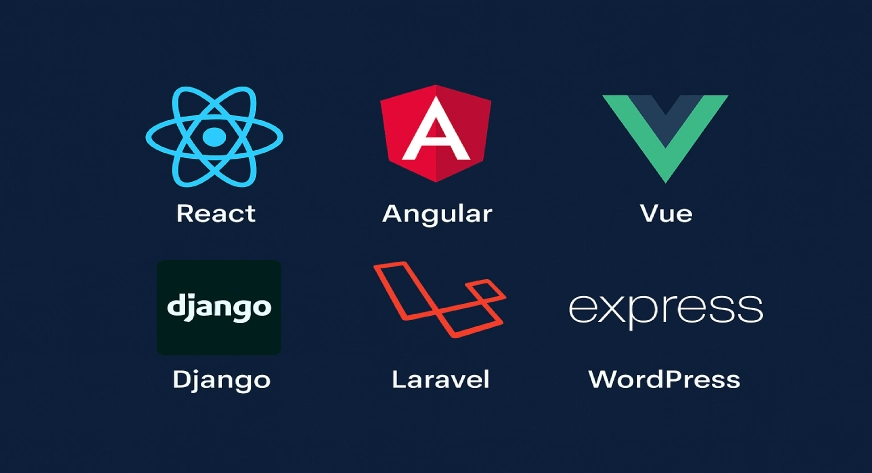
Choosing the right website frameworks is one of the most important decisions developers and businesses make when building modern websites. Frameworks provide the structure, tools, and features that simplify coding, improve performance, and make websites secure and scalable. With so many options available in 2025, picking the right one can save time, reduce errors, and deliver a much better experience to users. Today we will  explore some of the best website frameworks you should consider this year, with practical examples to help you understand why they stand out. What are Website Frameworks? A website framework is a ready-made set of code and tools that helps you build a website or web app faster. It gives you a base structure with templates, libraries, and common features so you don’t have to start from zero. Frontend frameworks like React or Angular handle the look and feel, while backend frameworks like Django or Laravel manage the server side. Using a framework saves time, keeps the site secure, and makes the code easier to update and grow. Also Read, What is CSS in HTML and Its Types! Best Website Frameworks 1. React.js React remains one of the best website frameworks for building dynamic user interfaces. Backed by Meta and a huge community, it allows developers to build components that can be reused across projects. Its virtual DOM improves speed, making websites highly responsive. For example, popular platforms like Netflix and Instagram continue to rely on React for smooth navigation and interactive elements. If your project needs a highly engaging frontend, React is still a safe bet in 2025. 2. Angular Developed by Google, Angular is known for building large-scale applications. It provides everything in one package ,routing, state management, testing tools, and more. Unlike React, which focuses mainly on the UI, Angular is a complete framework. Government portals, enterprise dashboards, and e-commerce platforms often use Angular because it provides structure for complex applications. Its TypeScript base also makes the code more predictable and easier to maintain over time. 3. Vue.js Vue.js is loved for its simplicity and flexibility. Many developers prefer it because it is easy to learn while still powerful enough to build advanced applications. Its progressive nature means you can start small and gradually add features as your project grows. Small businesses and startups often choose Vue because it offers a perfect balance between performance and ease of use. Even large companies like Alibaba have adopted Vue for building fast and user-friendly websites. 4. Next.js Next.js, built on top of React, is ideal for developers who want server-side rendering and SEO-friendly websites. It has become a favorite for creating fast-loading websites with great search engine visibility. For example, e-commerce platforms often prefer Next.js because it allows dynamic product pages to load quickly while still being discoverable by search engines. Its built-in features like API routes and image optimization save a lot of development time. 5. Django For backend development, Django continues to be one of the best website frameworks in 2025. Written in Python, it comes with built-in security, scalability, and tools for database management. Websites like Instagram and Pinterest originally used Django to handle millions of users. If you want a framework that ensures strong security and rapid development, Django is a proven choice. 6. Laravel Laravel, based on PHP, is another popular backend framework. Its clean syntax and large ecosystem make it beginner-friendly while still powerful for advanced projects. Features like Blade templating, Artisan command-line tool, and robust authentication are big advantages. Many e-commerce sites, news portals, and service platforms rely on Laravel because it provides everything from routing to caching in a developer-friendly way. 7. Svelte Svelte has gained rapid popularity in 2025 for being different from frameworks like React or Vue. Instead of handling updates in the browser, Svelte compiles the code at build time, resulting in faster performance and smaller file sizes. For projects where speed is the highest priority, like landing pages or interactive dashboards, Svelte is a framework worth considering. Its learning curve is also smaller compared to Angular or React. Also Read , What is Content Management System and how it help for the website! How to Decide Which Framework is Right for You? Choosing the right framework depends on: Final Thoughts The right website frameworks can save time, reduce costs, and deliver a better experience to both developers and users. Whether you need fast-loading pages, strong backend systems, or interactive interfaces, the options in 2025 are more powerful and flexible than ever. By matching the framework to your project’s goals, you ensure long-term stability and performance. Webworks Co. offers reliable and future-ready IT solutions tailored to modern business needs. From custom software development and secure cloud services to system integration and ongoing support, the team ensures smooth operations and scalable growth. Their focus is on building efficient, secure, and cost-effective technology that helps businesses thrive in a competitive environment. Frequently Asked Questions

Read more
what is content management system

What is a Content Management System (CMS) and How It Can Simplify Your Website?

A Content Management System (CMS) is software that lets you create, edit, organize, and publish website content without needing to code. Managing digital content isn’t as simple as saving files in a folder anymore. Businesses, creators, and even small startups today handle thousands of blogs, product listings, images, videos, and documents. Without a proper system, things can quickly get messy. That’s where a content management system (CMS) steps in. If you are curious about learning content management system (CMS) is, you’re in the right place. A CMS helps you create, edit, and organize website content easily, saving time and effort for you and your team. Understanding Content Management System A Content management system is software that helps you create, organize, and publish digital content without needing advanced coding skills. Think of it as a digital library combined with a publishing tool. Imagine you own a bakery and want to update your website’s “Menu” page. With a CMS, you don’t have to edit the code. Instead, you just log in, type in the new cupcake flavor, upload a picture, and hit publish. Within seconds, the update is live. Also Read , What is CSS in HTML and Its Types Types of Content Management Systems 1. Component Content Management System (CCMS) This type stores content in tiny parts like a single paragraph, image, or heading. You can reuse these parts in many places such as websites, apps, or PDF guides without writing them again. Example: Paligo, Xyleme. 2. Enterprise Content Management System (ECM) Big companies use ECM to safely store and organize a large number of files and documents. It controls who can see or edit the files and keeps everything secure and easy to find. Example: Zoho Docs, Box. 3. Document Management System (DMS) A DMS is for saving and managing documents like PDFs, Word files, or spreadsheets. It tracks changes, lets you share files easily, and helps you find the right document quickly. Example: Google Drive, Dropbox. 4. Digital Asset Management System (DAM) A DAM is made for handling media files such as photos, videos, music, and company logos. It keeps all these files in one place so your team can find and use them anytime. Example: Bynder, Canto. 5. Web Content Management System (WCMS) A WCMS helps you build and update a website without coding. You can write blogs, add pictures, and publish new pages with simple tools. Example: WordPress, Webflow. Also Read , Which Technology is Best for Website Development Benefits of Using CMS You can create, edit, and publish website content without needing coding skills. Most CMS platforms have a simple, user-friendly dashboard. Updates, design changes, or adding new pages can be done quickly, helping you launch and manage a site faster. Multiple people can work on the site at the same time with different roles, like writers, editors, and designers. Many CMSs offer plugins or features to improve search rankings—like adding meta tags, optimizing images, and creating sitemaps. You can change the look of the site with themes or templates without affecting your content. No need to hire a developer for every small change, which saves money over time. If you are finding Hosting Provider for your websites, here are the 15 Best Free WordPress Hosting Provider Why Learning a Content Management System Is Important? Learning a CMS is important because it allows you to create, update, and manage a website without needing to code. It saves time and money since you don’t have to rely on developers for every change. A CMS also helps you improve SEO, keep content organized, and work easily with a team. Whether you run a business, blog, or online store, knowing how to use a CMS gives you control over your website and helps it grow. Final Thoughts So, what is a content management system? It’s the backbone of modern digital presence. From blogs and e-commerce sites to enterprise solutions, CMS platforms make content creation and management easy, efficient, and scalable. By learning content management system basics, individuals and businesses can save time, improve teamwork, and connect with audiences more effectively. Whether you’re a creator, a startup, or an enterprise, understanding how CMS works is no longer optional—it’s essential for growth and success. At Webworks Co., we design IT solutions that make businesses run smarter. From websites to CMS integration and managed IT support, our focus is on simple, secure, and scalable systems tailored to your needs. Frequently Asked Questions

Read more
Span in html

Understanding The Span in HTML : A Comprehensive Guide

The Span tag in HTML is an inline container used to mark or group a small portion of text or inline content so you can style it with CSS or control it with JavaScript. It doesn’t create a new line or add extra space by itself. In this article, you will know all about the Span in HTML, its uses, and how to use it in HTML. What is Span in HTML? The Span in HTML is an inline element used to group small pieces of text or inline elements so you can style or manipulate them with CSS or JavaScript.It doesn’t add line breaks or extra space ,it simply acts as an invisible container. What is the Span Tag in HTML? The Span tag is a generic container for text or inline elements. By itself, it has no visual effect. Its main role is to help developers target specific parts of a page when they want to apply styles or run scripts. Basic Syntax You can add attributes like class or id: What Is the Use of Span in HTML? The Span tag is manily used for the : 1. Styling Part of Text Change the color, font, or size of only a few words. 2. Adding Classes or IDs Give it a class or ID to apply custom CSS. 3. JavaScript Actions Use it to add a click or hover effect. Also Read , What is CSS in HTML and its types How to Use Span Tag in HTML? Using Span Tag is Simple: That’s it; you can now change the appearance or add JavaScript actions to that specific part of text. Difference Between <div> and <span> Feature <div> <span> Type Block element Inline element Line break Starts a new line Stays in same line Best for Big sections Small text parts Final Thoughts The <span> tag in HTML is a handy tool for styling or controlling small parts of text. It is an inline element, which means it stays on the same line as the surrounding words. You can use <span> to change text color, add a background, make words bold, or even attach simple JavaScript actions like a click event. On my website WebWorksCo, I often use the <span> tag to highlight important words and create neat visual effects. By adding a class or an id, you can reuse the same style across many places on your site without changing the paragraph layout. Frequently Asked Questions

Read more
what is css in html

What is CSS in HTML and Its Types?

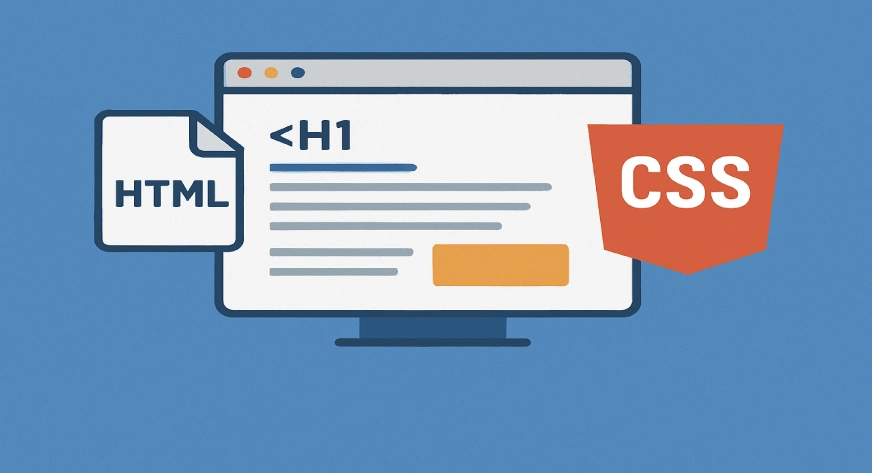
CSS (Cascading Style Sheets) in HTML is used to style and design web pages. While HTML provides the structure of a webpage, CSS makes it look attractive by adding colors, layouts, fonts, and spacing. It helps in separating the content (HTML) from the design (CSS), making web pages easier to manage and more visually appealing. In this article , you will get to know all about css , what is css in html , its types and differnece between CSS and HTML. What is CSS in HTML? CSS in HTML is a styling language that works alongside HTML. It tells the browser how elements like headings, paragraphs, images, and buttons should look. For example, if HTML creates a heading, CSS can define its color, size, and alignment. This combination improves both design and user experience. Types of CSS in HTML Inline CSS Example Internal CSS Example External CSS This Stored in a separate .css file and linked to the HTML document using the <link> tag. Example Also Read , For Web Development Really Needs Coding! Difference Between HTML and CSS HTML CSS Provides the structure of a webpage. Provides the styling and design of a webpage. Defines elements like headings, paragraphs, images, and links. Defines how those elements should look (color, font, layout). Without CSS, pages look plain and basic. With CSS, pages become attractive and user-friendly. Final Thoughts CSS in HTML plays a vital role in website development because it transforms simple HTML structures into visually appealing and user-friendly websites. Without CSS, web pages would look plain and unattractive. By learning and applying the three types of CSS in HTML—inline, internal, and external—you can style content effectively depending on the project’s needs. Moreover, understanding the difference between HTML and CSS is important, as HTML creates the structure while CSS enhances the design. For great examples of clean design and quality web work, you may check out WebWorksCo, which demonstrates how structured HTML and thoughtful CSS combine to make appealing, functional websites. Frequently Asked Questions

Read more
Contact us

Partner with Us To Power Your Digital Future

At WebWorks Co., we think beyond code. Our team is driven by a mindset of purpose, passion, and precision—ensuring solutions that empower your business with measurable impact.

Your benefits:
What happens next?
1

We Schedule a call at your convenience 

2

We do a discovery and consulting meting 

3

We prepare a proposal 

Schedule a Free Consultation